




Manual timesheets steal 5+ hours a week
Collecting, reconciling, and entering paper timesheets is a job in itself. Errors creep in, disputes eat up manager time, and payroll runs late every cycle.
All-in-one attendance tracking software that lets you monitor clock-ins, eliminate buddy punching, and export shift reports from any device at any location, even offline.
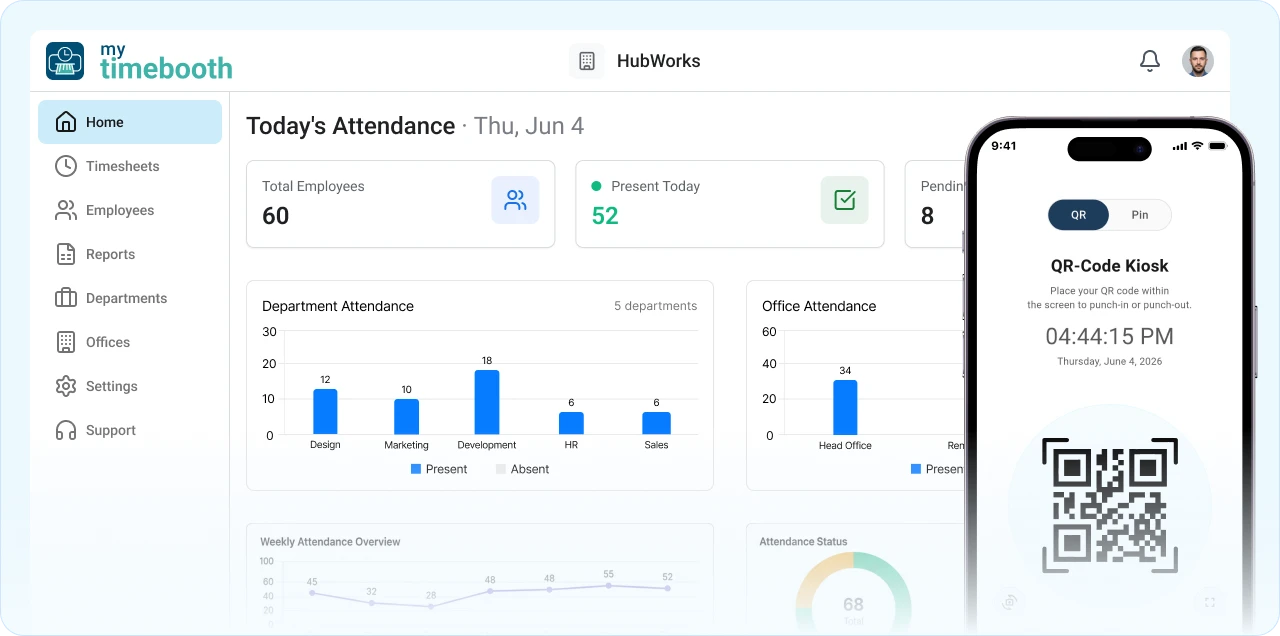


If your team still clocks in on paper, a spreadsheet, or the honor system, it’s costing you more than you think. Here’s where the hours and money quietly slip away each week.
Collecting, reconciling, and entering paper timesheets is a job in itself. Errors creep in, disputes eat up manager time, and payroll runs late every cycle.

Buddy punching, padded hours, and early clock-outs add up fast. On a $300,000 payroll, that quietly drains around $21,000 every single year.

Until the shift ends, you’re guessing. No-shows slip by and coverage gaps cause service failures. You shouldn’t have to call around to know who’s in right now.

Pulling hours, cross-checking shifts, and formatting for payroll is slow, error-prone work every cycle. MyTimeBooth builds all 18 reports in one click.
You don’t need enterprise software or another spreadsheet. MyTimeBooth brings clock-ins, live tracking, and payroll-ready reports into one simple system that works from day one, no IT required.

Employees clock in at the kiosk by QR code or 4-digit PIN and they’re on the clock in about 3 seconds, with no lines at the door.

With the attendance tracking app on their own phone, employees clock in or out from any job site, with GPS on every punch. Built for field and remote teams.

Lost your Wi-Fi? The kiosk keeps working. Clock-ins are stored on the tablet and sync automatically the moment your connection is back.

Attendance, payroll hours, GPS audit logs, device usage, and more. Export any of the 18 report types to XLSX or CSV in just one click.

Every feature is included from $7.99 a week, with unlimited employees. No per-seat fees, no contracts, and cancel anytime.

No IT team, no training day, and no thick manual. Set up your company in the web panel and your staff clock in the same day.
From creating your account to your team’s first clock-in, set up your whole company without an IT department.
Sign up and set up your company in the web admin panel. There’s no hardware to buy and no IT team needed to get started.
Organize your company by office location and department, so attendance and reports stay structured across every site from day one.
Add each employee to the system and generate their unique 4-digit PIN and QR code in a click, ready for the kiosk.
Send each employee their verification email, and you’re good to go. Your team can start clocking in at the kiosk right away.
From then on, employees scan their QR code or enter their 4-digit PIN at the kiosk. A photo confirms who they are and they’re clocked in or out in about 3 seconds.
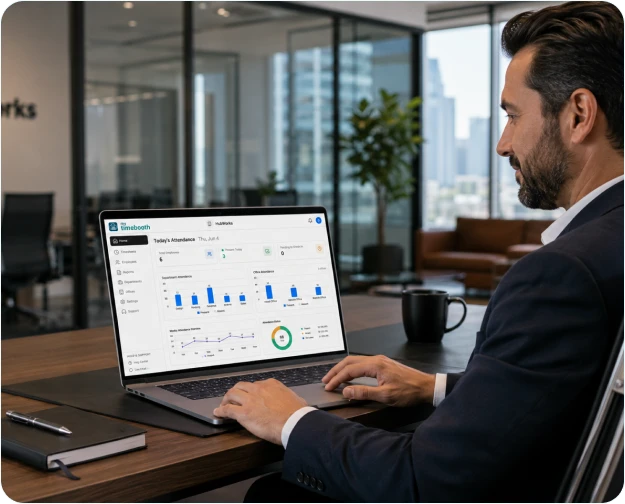
From the first clock-in to payroll-ready exports, MyTimeBooth is software for attendance tracking that covers your whole team in one place.
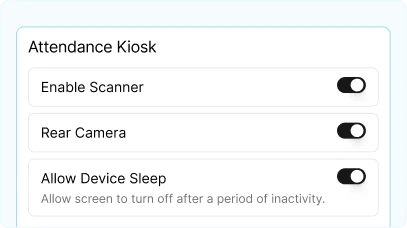
Kiosk Mode is a setting in the app that turns any iOS or Android tablet you already own into a check-in station at your entrance. Employees clock in and out via QR code or 4-digit PIN. No hardware to buy.
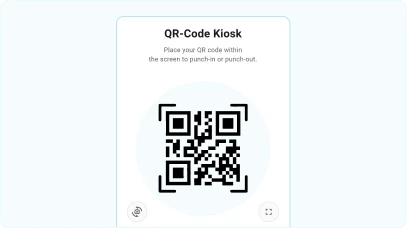
Every employee gets a unique QR code they can show from their phone or a printed badge. One scan at the kiosk records the punch instantly, and it’s far harder to share than a password.
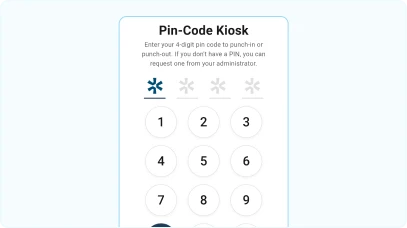
Employees without a phone or QR code use a 4-digit PIN instead. Works for anyone on the team regardless of what device they carry. No smartphone required at the kiosk.
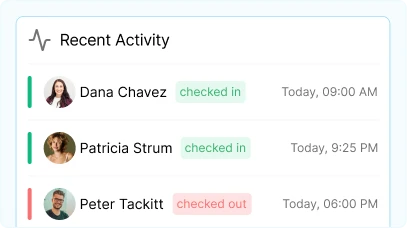
See who is checked in and who is out, live as it happens. Check from your phone, laptop, or any device, wherever you are. No more end-of-day surprises or calls around to find out who showed up.
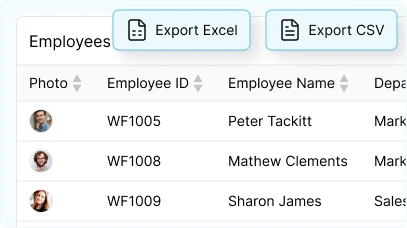
Add, edit, and deactivate employees from the web admin panel. Generate unique QR codes per person. Assign each employee to a department, an office, and a role in one place.
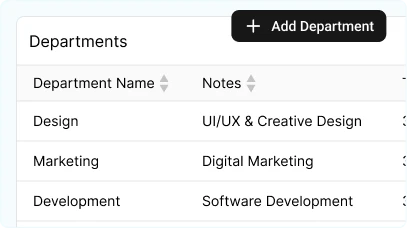
Group employees by department and physical location. Reports filter cleanly by team or site. Managers can be scoped to specific offices so they only see what’s relevant to them.
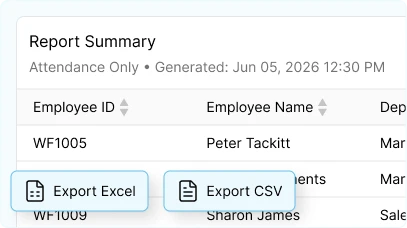
18 report types including attendance summaries, payroll-ready hour totals, GPS audit logs, and device usage reports. Export to XLSX or CSV, or schedule automatic email delivery.
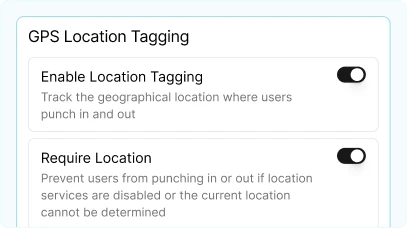
Every clock-in is pinned to its exact GPS location on a map. Confirm where and when each punch happened across all your sites and easily spot anything out of place.
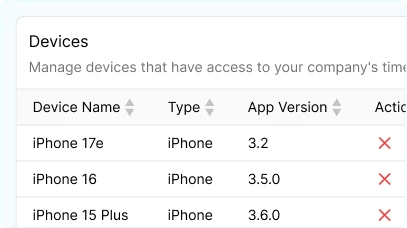
See exactly which device each punch came from. Handy for quickly auditing your kiosk tablets and confirming every single clock-in lines up with the right place.
Download the app and have your team clocking in within minutes. Every feature is included from the start, with no commitment and no sales call to sit through.
Free trial available · Cancel anytime · Setup in under 5 minutes
Real reviews from businesses using MyTimeBooth to track attendance across kiosks, phones, and job sites.


Employees like the convenience of being able to check in at the job site locations. The GPS function gives us the insurance that they’re there, and it helps us track job costs.

This app is very versatile. I use it to track activity of my Peer Tutoring Center in a public school of 630 children. I printed the QR label and placed it on each kid’s Chromebook. The kid swipes it in front of my iPad in kiosk mode, and the app takes care of everything else.


This is a really good app for employees to clock in and out of. It’s easy to use and the recent update made it even better. And it’s cheap! Great job guys.


One of the few no-nonsense time clock apps to track employee hours across different departments and set up as a click-in kiosk. 10/10.

Every industry has different clock-in patterns, staffing structures, and reporting needs. MyTimeBooth adapts to all of them.
Staff-to-child ratios are a licensing requirement. Knowing who arrived, when, and who is supervising each classroom is compliance documentation, not a nice-to-have.
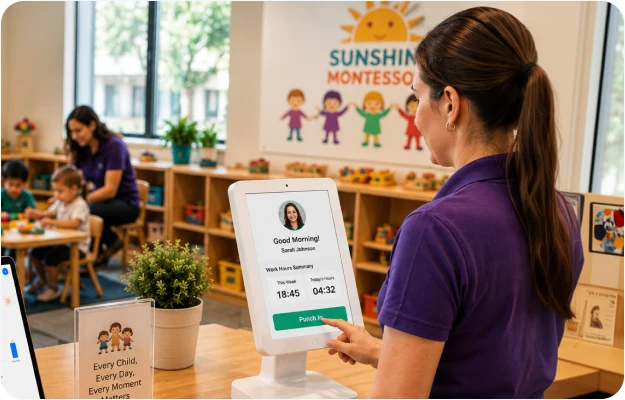
With MyTimeBooth, teachers and aides clock in at the front-desk kiosk with a photo on every punch. Directors see live coverage per classroom, and reports give you a record for licensing inspections.
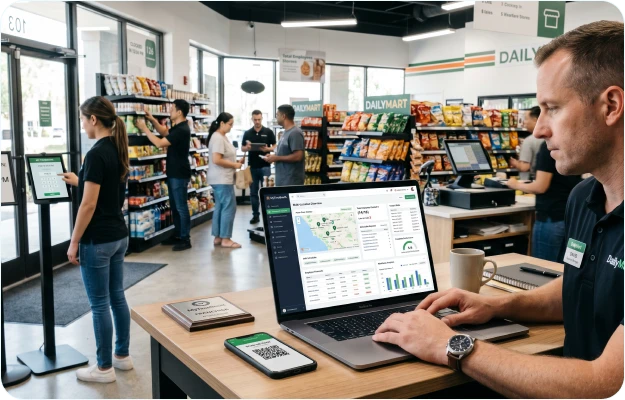
A manager runs several stores with rotating staff and different shift patterns. Manual timesheets mean payroll errors every cycle and hours wasted chasing missing records.
With MyTimeBooth, staff clock in by QR code or 4-digit PIN, at the store or on their own phone, and the owner sees every store and franchise live from one dashboard: who’s in, who’s late, and who hasn’t shown up.
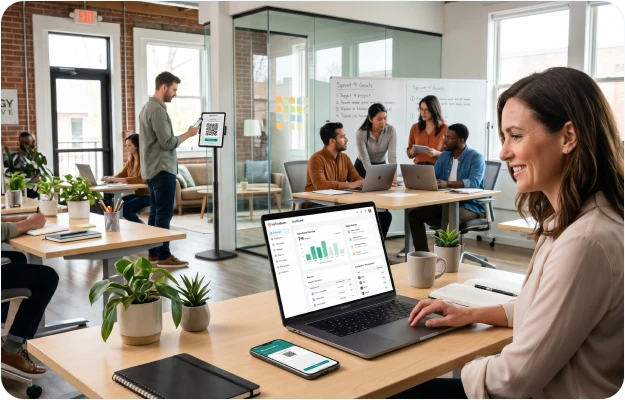
A small team, and HR is one person, maybe two. Enterprise software is too much, but a spreadsheet is not enough. You need something that works on day one.
With MyTimeBooth, you can set up your company in a morning, share QR codes by lunch, and pull your first attendance report before the day ends. Granular permissions keep each person to what’s relevant.
Crews move between job sites all day, often where signal is weak. Paper timesheets get lost, and you find out about missed hours only when payroll doesn’t add up.
With MyTimeBooth, crews clock in from their own phones right at the job site, even with no signal, and their punches sync once they’re back online. Track hours by crew and site without chasing paper.
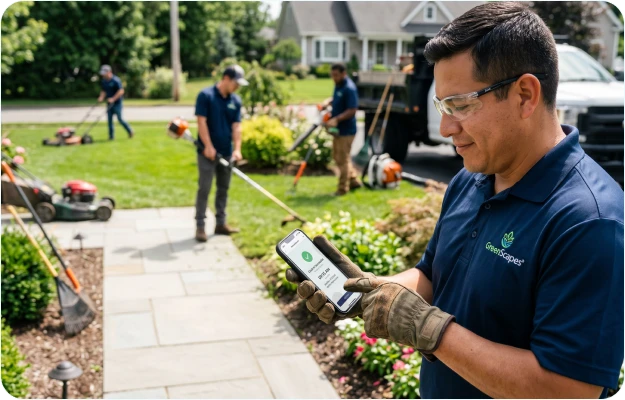
Technicians start at different sites and rarely pass through the office. Reconstructing their hours from memory and texts costs you time and accuracy every pay cycle.
With MyTimeBooth, technicians clock in from their phones at each job, with GPS and a photo on every record. Their hours land in payroll-ready reports without a single paper timesheet.
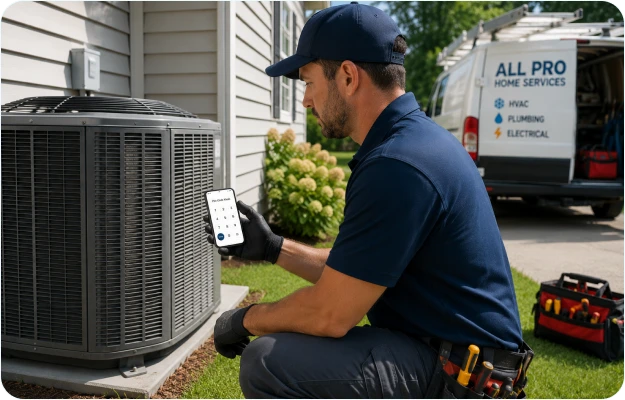
Shifts start at 6 AM with no office manager on-site, and connectivity is spotty in large facilities. You need a clock-in system that doesn’t fail when the router does.
With MyTimeBooth, the offline-first kiosk stores every clock-in locally and syncs when the internet returns. Supervisors see live headcounts from any device, and every shift is logged and ready for payroll.
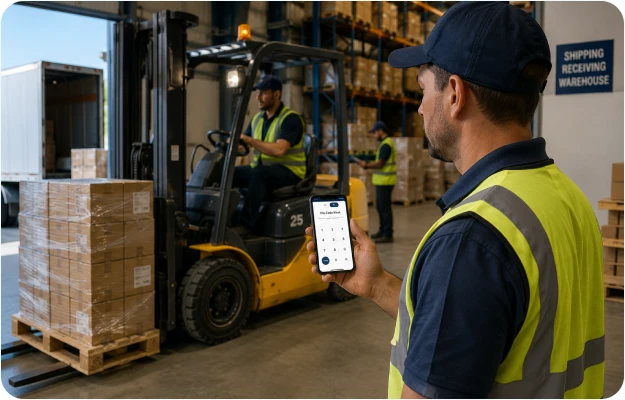
Crews work across multiple sites and projects, and hours have to be split correctly for job costing and payroll. Paper sign-in sheets make that slow and error-prone.
With MyTimeBooth, crews clock in from their phones or a site tablet, logged by crew and project with a photo and GPS. Export site hours straight into payroll and job costing without the manual math.
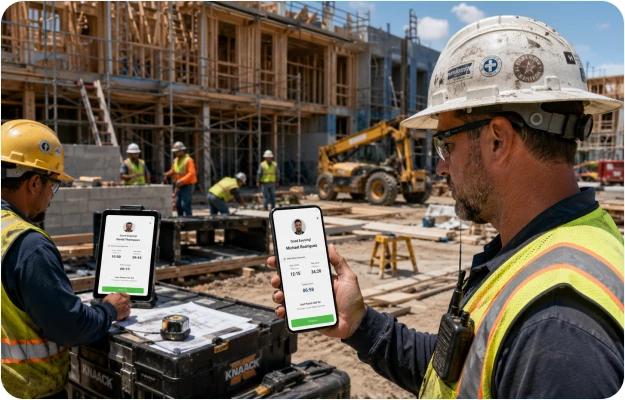
As an employee attendance management system, MyTimeBooth fits teams of every size across retail, childcare, warehousing, and office environments, with no IT department required.
 BUSINESS OWNER
You have a business to run, not timesheets to chase. MyTimeBooth sets up in minutes without IT help, records every clock-in for you, and keeps payroll-ready reports a click away whenever you need them.
 Unlimited employees, no per-seat feesRetail stores, family businesses, small officesNo software experience required
 HR MANAGER
MyTimeBooth gives you a real-time view of every site, 18 export-ready report types, and role-based access so each manager sees only their team. Payroll preparation that used to take days now takes minutes.
Single or multi-location businessesStructured payroll and compliance reportingPer-location manager access controls ON-SITE EMPLOYEE
Clock in at the kiosk in about 3 seconds with no app needed, or punch from the MyTimeBooth app on your own phone when you’re out in the field. A photo confirms it’s really you.
Retail, warehouse, and office staffNo smartphone required at the kioskKiosk or your own phone in the fieldTraditional time clocks and spreadsheets were built for a different era. MyTimeBooth is time and attendance tracking software built for how small businesses actually operate today, across stores, sites, schools, and offices.
| Capability |
 my
timebooth
my
timebooth
| Paper / Spreadsheets | Legacy Time Clocks |
|---|---|---|---|
| Setup time | Under 5 minutes | Instant (but messy) | Days to weeks |
| Clock-in speed | ~3 seconds | 1–5 minutes | 10–30 seconds |
| Time theft prevention |  QR + PIN + Photo QR + PIN + Photo |  None None |  PIN only PIN only |
| Real-time visibility | Live dashboard | End of day only | Limited |
| Works offline | Offline-first | Paper always works | Varies |
| Payroll-ready reports | 18 types, XLSX/CSV | Manual only | Basic only |
| Mobile app for managers | iOS + Android | No | Rarely |
| Cost | From $7.99/week | Free (hidden labor cost) | $300–$2,000+ hardware |
Comparison based on publicly available information and common industry practices.
 Included
 Partial
 Not available
One product, every feature included, and three simple billing options to choose from. Try it free before you commit, and cancel anytime.
Best for seasonal businesses or trying it out first. Includes a 3-day free trial.
 All features includedUnlimited employees18 report typesKiosk mode + mobile apps
Best for established teams with consistent headcount.
All features includedUnlimited employees18 report typesKiosk mode + mobile appsPriority supportBest for businesses committed to long-term efficiency. Includes a 7-day free trial.
All features includedUnlimited employees18 report typesKiosk mode + mobile appsPriority supportDedicated onboardingThe weekly plan includes a 3-day free trial and the yearly plan includes a 7-day free trial. Available on the iOS App Store and Google Play. No per-seat fees. No contracts.


MyTimeBooth is attendance tracking software for small and mid-sized businesses. Employees clock in and out at a tablet kiosk or from the employee app, and you get real-time visibility and payroll-ready reports, all without an IT team.
Kiosk Mode is a setting you switch on in the MyTimeBooth app on any iOS or Android tablet you already own. We don’t sell or ship any hardware. Place that tablet at your entrance, and employees scan their QR code or enter their 4-digit PIN. The app captures a verification photo, logs the time, and confirms in about 3 seconds.
Yes. MyTimeBooth’s kiosk runs on an offline-first architecture. Clock-in events are stored in a local database on the tablet itself. When your internet connection is restored, all records sync automatically to the cloud. You never lose a clock-in event, even if the connection drops mid-shift.
MyTimeBooth includes a wide range of reports, from attendance and GPS location reports to employee and department summaries and manual time adjustments. All export to XLSX or CSV, and you can schedule automatic email delivery to your payroll team.
Yes. MyTimeBooth works as a multi-location attendance tracking system, with multiple offices and departments inside a single account. Each location can have its own kiosk, its own employees, and its own reporting, and managers can be limited to specific locations to keep data clean and separated by site.
Yes. MyTimeBooth is available on iOS and Android. Managers get the full admin panel on mobile: live dashboard, employee management, and report downloads. You control exactly what each person can see with granular permission settings.
Yes. The MyTimeBooth attendance tracking app runs on their own iOS or Android phone, so employees can clock in and out from anywhere, with GPS recorded on each punch. It’s a good fit for field and remote staff who aren’t always near a kiosk.
Get your whole team clocking in with a QR scan or PIN, and stop hand-tallying hours for good.
Set up in minutes · Cancel anytime · iOS & Android